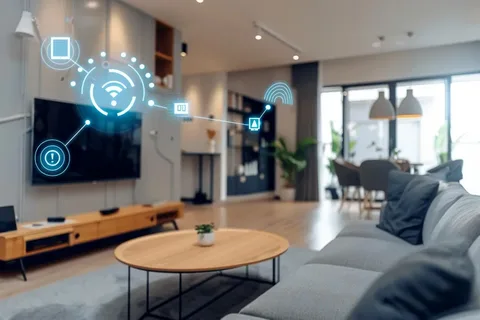

A successful smart home installation begins with a thorough site survey, a robust network backbone, and a clear integration strategy so devices, sensors, and controllers work together without surprise conflicts. Design around user needs, plan wiring and power carefully, and commission automations under realistic conditions to build a dependable, maintainable system.
Smart home installation requires a structured site survey, dedicated network segments for IoT, wired backhaul for hubs, and a modular wiring strategy to future-proof upgrades. Choose a controller that supports multiple radio protocols, document all device addresses and logic, and validate automations with real users to ensure daily reliability and clear behavior.
Start With A Site Survey And Use-Case Definition
Every smart home installation should begin with a site survey that documents room dimensions, construction phases, existing wiring, and typical occupant behaviors so solutions match real needs. Define use cases such as energy savings, security, lighting scenes, or AV integration to guide product selection and wiring priorities. Identify locations that require low-voltage runs, control conduit, and dedicated power to avoid costly retrofits later.
Network Design, Segmentation, And Robust Connectivity
A resilient smart home installation depends on the network. Provide wired Ethernet to hubs and media centers where possible, deploy multiple access points for whole-home Wi-Fi, and segment IoT devices onto a VLAN to limit exposure. Plan for sufficient upstream bandwidth if many cloud services are used, and implement QoS rules to protect latency-sensitive traffic. Document IP addressing and access controls to simplify remote management and diagnostics.
Wiring Standards, Conduit, And Future-Proofing
Run conduit and extra low-voltage pathways during construction so future sensors or controllers can be added without demolition. Standardize labeling conventions, color codes, and termination points to make service straightforward. Provide spare pair wiring and empty conduit runs to unpredictable locations like future cameras, roof sensors, or outdoor shades to preserve flexibility as needs evolve.
Choosing A Controller And Protocol Strategy
Select a controller that supports multiple protocols such as Zigbee, Z-Wave, Thread, and Wi-Fi to avoid vendor lock-in and to mix best-in-class devices. Prefer platforms that offer local execution for critical automations so doors, alarms, and safety lighting operate independently of cloud availability. Evaluate platform ecosystems, update cadence, and the availability of integration drivers for AV, security, and HVAC systems.
Device Placement, Sensor Logic, And Human-Centered Automations
Device placement defines automation reliability. Place motion sensors to minimize false triggers from pets and sunlight, mount door sensors to avoid accidental hits, and position environmental sensors away from drafts. Design automations that are predictable and reversible, relying on multiple confirmations for critical actions and offering intuitive manual overrides. Include simple user interfaces and clear naming conventions so all household members understand and trust automations.
Commissioning, Documentation, And Handover
Commission the system by testing automations across typical daily cycles and recording baseline settings. Create a handover packet containing device inventory, wiring diagrams, automation logic, access credentials, and recovery procedures. Train household members on primary controls and how to trigger manual overrides, and establish a maintenance schedule for firmware updates and battery replacement.
Maintenance, Monitoring, And Support
Offer an ongoing maintenance plan that includes periodic firmware updates, remote monitoring, and rapid response for critical failures. Monitor device health and battery levels centrally and schedule service visits for replacements or rewiring. Keep a record of firmware versions and support contacts so issues can be escalated efficiently without guesswork.
Final Thoughts On Smart Home Installation
Smart home installation is a systems exercise that blends careful planning, network discipline, and user-centric automations. Prioritize wired reliability for core components, document everything, and validate behaviors with occupants before signoff. When done deliberately, an installation becomes a dependable layer that enhances comfort, security, and energy efficiency over many years.
FAQs
What is the most important step before smart home installation begins?
The most important step is a comprehensive site survey and clear use-case definition so wiring, hub placement, and device selection align with actual household routines and future expansion plans.
How should I structure the network for a smart home installation?
Structure the network with wired backhaul for hubs, multiple Wi-Fi access points for coverage, VLAN segmentation for IoT, and QoS rules to protect real-time media and control traffic from congestion.
Do smart home installations always require professional wiring?
Not always; many consumer devices are wireless, but professional wiring for hubs, room endpoints, and key sensors reduces retrofit costs and increases long-term reliability for whole-home installations.
How do installers avoid false triggers from motion sensors?
Installers avoid false triggers by placing sensors outside direct sunlight, away from HVAC vents, using pet-tolerant sensors, and tuning sensitivity and delay settings during commissioning to match real-world conditions.
What documentation should be delivered at handover?
Deliver a handover packet with a device inventory, wiring map, automation logic, credentials and recovery steps, maintenance schedule, and user guides so owners and future technicians can manage the system confidently.
How long does a typical smart home installation take?
Timeline varies by scope. A single-room install can be completed in a day, while whole-house projects commonly take several weeks. Factors include wiring, drywall work, inspections, device provisioning, and integration complexity. Plan for site surveys and a phased schedule.
What warranties or guarantees should I expect?
Expect manufacturer warranties on hardware and a contractor warranty covering workmanship for a defined period. Ask whether firmware updates, remote monitoring, and labor for commissioning are included. Clarify response times for service calls and options for extended support or maintenance plans.
Can I mix DIY devices with professionally installed systems?
Yes; mixing is possible when devices use open protocols and the chosen controller supports them. Keep device inventories and network maps current, and understand that some installers limit support for third-party consumer gear. Pilot a small integration first to verify reliability.
How are privacy and data handled in smart home installations?
Installers should document data flows, storage locations, and retention policies, and offer local-recording options for cameras and voice devices. Minimize continuous cloud streaming where possible, enable account-level security, and provide clear user controls to opt into or out of cloud features affecting privacy.
What are common hidden costs to budget for?
Budget for network upgrades, additional conduit or cable runs, higher-capacity circuits, professional commissioning, and spare parts. Include potential subscription fees for cloud services, extended warranties, or premium integrations. Also account for unexpected labor for drywall repair, painting, or access adjustments.
Author: Thomas Reed — Smart home integrator specializing in whole-home installation and networked systems.