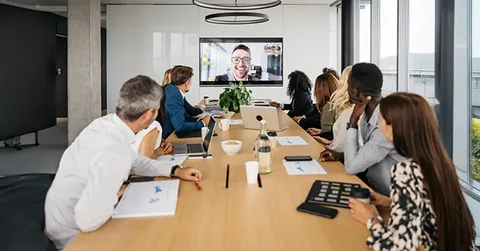

A well-run conference room meeting is the combination of intentional room design, reliable AV technology and simple facilitation practices that let teams focus on outcomes rather than troubleshooting. Businesses still spend enormous amounts of time in meetings, and the difference between a meeting that sparks action and one that wastes time often comes down to details: seating and sightlines that keep participants engaged, audio systems that let every voice be heard, displays sized for clear content sharing and a facilitator who keeps the agenda moving. This article walks through the end-to-end considerations—space planning, acoustic design, AV system selection, camera and microphone strategies, lighting and visual setup, facilitation best practices and commissioning steps—to help you create conference room meetings that are efficient, equitable and economical.
A successful conference room meeting requires three pillars: a human-centered room layout that supports interaction, an AV system engineered for clear audio and visible content, and disciplined facilitation that keeps the meeting on task and ensures actionable outcomes.
Define Meeting Types And Outcomes Before You Design
Every productive conference room meeting starts with clarity about purpose and expected outcomes. Are you creating a space for quick daily standups, collaborative whiteboard sessions, executive briefings or hybrid client presentations with remote participants? Each meeting type implies different priorities: a brainstorming session values writable surfaces and flexible seating, while a client presentation requires high-fidelity video and pristine content display. Define the typical meeting sizes, frequency and the critical success metrics—reduced meeting time, higher decision velocity or improved remote engagement—and use these outcomes to shape room dimensions, furniture and technical specifications. This outcome-led approach prevents overspending on features that add complexity but little value.
Room Layout And Sightlines: Human Factors Matter
Physical layout drives participation. Arrange seating so presenters and shared content are visible from all seats and consider slightly curved or angled seating rows to keep sightlines short. Avoid placing the primary display in a corner; instead center it on the primary wall with sightlines clear from the main access points. When multiple seats are used, ensure that the center of attention—whether a screen or whiteboard—sits at an appropriate height so viewers do not have to tilt their heads. For hybrid meetings, allow space for cameras to capture both the speaker and the audience and avoid backlit seating that renders participants as silhouettes. Choosing furniture with thin profiles and modest armrests preserves sightlines without sacrificing comfort.
Acoustic Design: Make Speech Intelligible First
Speech intelligibility is the single biggest determinant of perceived meeting quality. Address room acoustics early: hard, reflective surfaces create echoes that smear consonants and make remote participants strain to follow. Use absorptive panels at first reflection points and consider bass trapping in corners for medium-sized conference rooms. When acoustic treatment is not feasible for aesthetic or budgetary reasons, rely on microphone strategies that focus on source pickup and DSP features that apply conservative equalization rather than heavy-handed filtering. Ventilation noise should be measured and mitigated—select quieter diffusers or plan microphone placement away from noisy registers. Investing in basic acoustic improvements pays dividends because it reduces the need for aggressive electronic processing and improves both in-room and remote listening.
Audio System Selection And Microphone Topologies
Choose an audio system aligned with room usage and occupancy. For small rooms, a high-quality single soundbar with integrated microphone array might suffice. For medium and large rooms, distribute speakers for even coverage and use beamforming ceiling or table arrays for consistent pickup across seating. When selecting microphones, prefer multi-element arrays that provide DSP-driven echo cancellation and noise suppression, which reduce feedback and pickup of HVAC noise. Ensure amplifiers have headroom so voices remain clear at higher listener levels without distortion. Design the audio chain with balanced wiring and robust connectors and include surge protection and UPS support for critical components to prevent dropouts during meetings.
Display Strategy And Content Readability
Choose displays based on viewing distance and ambient light. For collaborative sessions with shared documents, prioritize a display resolution and size that renders text legible from the farthest seat. For rooms with significant daylight, choose high-brightness panels or projection systems sized to maintain contrast and avoid washed-out images. Mount displays at a comfortable eye level and consider dual displays—one for gallery view of remote participants and one for content—so no one is forced to choose between faces and slides. For interactive sessions, select touch-enabled displays or pair displays with a high-resolution camera and document camera for detail-rich demonstrations.
Camera Placement And Framing For Hybrid Equity
Camera strategy should ensure remote participants are not second-class attendees. Place cameras at or slightly above eye level and center them on the primary speaking area so remote viewers have comfortable eye contact. For medium and larger rooms, use multiple camera presets or an intelligent auto-framing camera to capture active speakers and whiteboard work without constant manual switching. Avoid ceiling-mounted tiny cameras that capture only foreheads or participants’ backs; instead choose cameras with wide dynamic range to handle variable lighting and ensure faces remain clearly visible. When possible, position cameras so remote participants can see room reactions and body language—this helps create conversational parity and reduces the “out-of-frame” effect.
Lighting And Visual Conditions For Clear Video
Lighting is critical for on-camera clarity. Use diffuse, even lighting that minimizes deep shadows and reduces contrast between faces and backgrounds. Avoid strong backlight from windows; deploy blackout options or adjust camera exposure when daylight is present. For presentation areas install key and fill lighting that sits slightly above eye level to avoid unflattering shadows and to enhance facial detail for remote attendees. Consider tunable white lighting to match the camera’s color temperature and reduce daylight mismatches. Simple lighting control scenes—Presentation, Collaboration, Video Call—help operators quickly set the room for the intended use.
Network And Endpoint Considerations For Reliability
Conference room meetings increasingly depend on networked AV. Provide a dedicated wired network path for room endpoints with VLAN segmentation and QoS to prioritize media traffic. Choose room endpoints that support centralized provisioning and health monitoring so IT can manage firmware and troubleshoot remotely. For redundancy, consider a local fallback mode that allows basic in-room control if cloud services are unavailable. Avoid relying solely on wireless connections for primary audio and video endpoints because interference and variable performance can degrade meeting experience unpredictably.
Facilitation Practices That Improve Outcomes
Even the best-equipped room fails without basic facilitation discipline. Start meetings with a clear agenda and a timekeeper who keeps discussions focused. Encourage a “one-mic” policy in hybrid settings where remote participants can speak without competing audio. Use round-robin check-ins for sensitive topics to ensure equitable participation and alternating presenters to keep attention high. Close each meeting with explicit action items, owners and dates to convert discussion into results. Training a consistent set of facilitators reduces time wasted on process and increases the likelihood that meetings produce value.
Equipment Accessibility And Simple Controls
Design the room so first-time users can operate the system with a single action. One-touch controls for camera, microphone mute and content share dramatically reduce the barrier to effective meetings. Provide clear, labeled physical controls for essential functions and a concise quick-start card at the meeting table. When scripting automated scenes, ensure that manual overrides remain easy and obvious; users should be able to mute or pause without navigating multiple menus.
Commissioning, Testing And Ongoing Tuning
Commissioning is where the installation becomes dependable. Test audio clarity across seating positions, validate camera framing and gallery views, stress test network conditions, and verify fallback behaviors for cloud outages. Observe the room during live sessions and be prepared to retune microphone sensitivity and camera presets based on actual use. Schedule periodic re-commissioning when furniture moves, device firmware changes or occupancy patterns shift. This maintenance mindset keeps meeting performance stable over time.
Cost Priorities And Where To Invest
Prioritize investments that yield frequent daily benefits: audio clarity, reliable camera framing and easy content sharing. A mid-tier microphone system often outperforms a top-end display in terms of perceived meeting quality because conversations are meaningful only when participants can hear one another. Balance hardware spend with commissioning and training—poor setup wastes expensive gear. Consider a phased upgrade approach where core rooms receive the best technology first and templates are refined before broader rollouts.
Conclusion
A high-performing conference room meeting combines thoughtful spatial planning, engineered AV systems, disciplined facilitation and ongoing commissioning. By focusing on human factors like sightlines and equitable remote participation while investing in robust audio, camera and lighting systems, organizations create meeting environments that respect people’s time and drive outcomes. Keep systems simple to operate, measure results and iterate on the technical and procedural elements so meetings become engines of productivity rather than drains on attention.
FAQs
What Are The Most Common Causes Of Poor Remote Participation In Meetings? Poor network QoS, inadequate camera framing, inconsistent audio pickup and backlit seating are the primary causes. Fixing acoustics, placing cameras at eye level and ensuring wired, prioritized network connections typically eliminates most issues.
How Do I Choose Between A Single Camera And Multiple Preset Cameras? For small rooms a single wide-angle camera may be sufficient. For larger or multi-purpose rooms, multiple cameras with preset shots or intelligent auto-framing provide better coverage and maintain focus on active speakers and whiteboard work.
What Lighting Settings Work Best For Video Calls? Use diffuse, even lighting with key and fill sources at slightly above eye level. Control daylight with shades to avoid backlight and match color temperature across fixtures for consistent skin tones on camera.
How Often Should Conference Rooms Be Recommissioned? Recommission annually or after significant changes such as furniture moves, HVAC work or firmware updates. Regular tuning keeps microphone sensitivity and camera presets aligned with real usage patterns.
What Is The Single Best Investment To Improve Meeting Quality? Prioritize audio: invest in a reliable microphone array and proper acoustic treatment. Clear audio increases comprehension and satisfaction more than incremental gains in display resolution.
Author Bio
Author: Maya Hernandez, Workplace Technology Consultant specializing in hybrid collaboration and meeting room design.