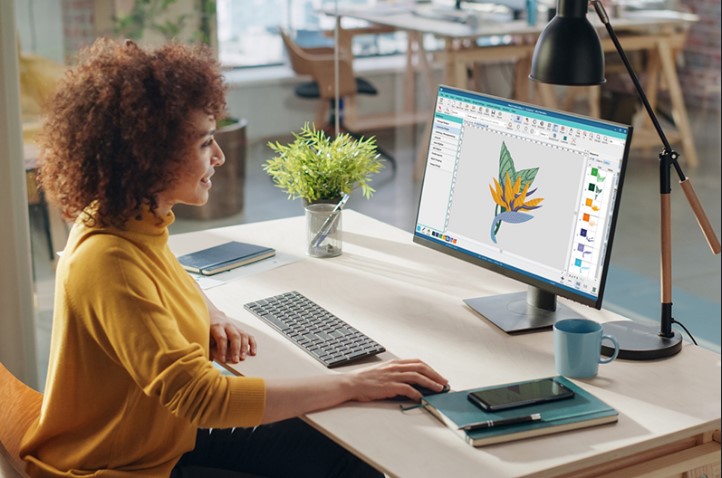

Embroidery machines work best when the file format is right. If you use Brother or Babylock machines, a PES File Converter is one of the most important tools in your embroidery process. It helps turn artwork into stitch files that machines can read without errors. When PES files are created correctly, designs stitch smoothly, details stay sharp, and production runs without stress.
In this guide, we will explore how PES files work, why accuracy matters, and simple solutions to create clean and professional PES embroidery files.
What Is a PES File?
A PES file is an embroidery file format mainly used by Brother and Babylock machines.
Why PES Files Matter
PES files control:
- Stitch placement
- Stitch direction
- Color changes
- Thread trimming
Without a proper PES file, embroidery machines cannot stitch designs correctly.
Why Accurate PES File Creation Is Important
Accuracy is key in embroidery.
Clean Stitch Results
Correct PES files create smooth stitches with no gaps or overlaps.
Better Machine Performance
Machines run faster and break fewer threads when files are clean.
Professional Appearance
Accurate files keep designs sharp and readable on fabric.
How PES Embroidery Files Are Created
PES file creation involves digitizing artwork into stitch data.
Step 1: Artwork Review
The first step is checking:
- Image quality
- Design size
- Color areas
- Small details
Good artwork leads to better results.
Step 2: Digitizing the Design
Digitizing includes:
- Selecting stitch types
- Setting stitch density
- Planning stitch direction
- Adding underlay for stability
This step defines how the design will stitch.
Step 3: Exporting to PES Format
After digitizing, the design is saved as a PES file. This file is now ready for embroidery machines.
Manual vs Automatic PES Conversion
Not all PES converters produce the same quality.
Automatic PES Conversion
Auto tools are quick but limited.
- Suitable for simple designs
- Not ideal for detailed logos or small text
Manual Digitizing for PES Files
Manual digitizing offers:
- Better stitch flow
- Sharp edges
- Proper fabric handling
For professional embroidery, manual conversion gives better results.
Common Problems with Poor PES Files
Low-quality files cause many issues.
Thread Breaks
Bad stitch planning leads to constant thread breaks.
Distorted Designs
Letters and shapes may lose their form.
Wasted Time and Materials
Errors mean re-stitching and wasted fabric.
PES File Creation for Logos
Logos require extra care.
Logo Digitizing Challenges
Logos often have:
- Thin lines
- Small text
- Sharp corners
How Accurate PES Files Help
Proper files keep:
- Text readable
- Edges clean
- Colors balanced
This creates professional embroidery results.
PES Files for Different Fabrics
Fabric choice affects PES file settings.
Common Fabric Types
- Cotton
- Polo fabric
- Caps and hats
- Jackets
Each fabric needs a different stitch density and underlay.
Why Fabric Info Matters
Good PES files adjust for fabric to prevent puckering and distortion.
Tips for Creating Better PES Files
You can improve results by following a few simple steps.
Use High-Quality Artwork
Clear images or vector files work best.
Share Design Details
Provide information about:
- Final design size
- Fabric type
- Machine model
This helps create accurate PES files.
Benefits of Professional PES File Conversion
Professional services offer many advantages.
Saves Time
You avoid fixing errors and redoing designs.
Consistent Results
Every stitch-out looks the same.
Better Customer Satisfaction
Clean embroidery builds trust and loyalty.
Turnaround Time and Revisions
Fast service matters for businesses.
Quick Delivery
Most professional converters deliver files within 24 to 48 hours.
Easy Revisions
Minor changes are often included if needed.
Long-Term Value of Accurate PES Files
Quality PES files are an investment.
Reduced Waste
Less thread and fabric are wasted.
Improved Brand Image
Clean embroidery enhances brand reputation.
Reliable Production
Machines run smoothly with fewer issues.
Final Thoughts
Creating accurate PES embroidery files does not have to be complicated. With the right tools and careful digitizing, you can achieve clean, professional stitch results every time. A reliable PES File Converter ensures your designs run smoothly on embroidery machines and look great on all fabrics.
For businesses and creators looking for dependable PES file creation and expert digitizing support, Digitizing Buddy delivers clean, machine-ready embroidery files that help every project stitch perfectly.

