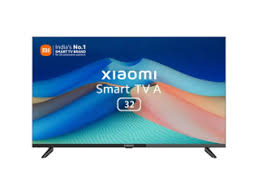

In recent years, the way people consume entertainment has undergone a significant transformation. The rise of streaming platforms has prompted many to shift from traditional cable subscriptions to smart technologies like Android TVs. Android TV boxes have become increasingly popular as they allow users to stream movies, TV shows, and live sports effortlessly. These compact devices offer a seamless viewing experience while providing access to a variety of applications via the Google Play Store. In this article, we’ll explore the top Android TV boxes available in the market for streaming movies and live sports, their features, and the benefits of purchasing them.
More Information About Android TV Boxes and Their Offer
Android TV boxes are compact, standalone devices that can convert a regular television into a smart TV. These devices run on Google’s Android operating system, which equips them with the ability to access thousands of apps, games, and streaming platforms such as Netflix, Hulu, Amazon Prime, and Disney+. These boxes provide an affordable alternative to buying smart TVs and empower viewers to watch their favorite movies and live sports on a bigger screen without limitations. Whether you’re an avid sports fan or a movie enthusiast, Android TV boxes cater to all your entertainment needs with seamless accessibility, HD streaming, and smart features.
A key advantage of these devices is their affordability and ease of use. Most Android TV boxes are plug-and-play, requiring minimal setup. They also offer exceptional portability, allowing you to stream your favorite content anytime, anywhere. With features like voice search and the ability to install third-party apps, Android TVs enhance your overall viewing experience.
Features and Benefits of Android TV Boxes
Here are some of the key features and benefits of Android TV boxes:
- Access to Streaming Platforms: Enjoy access to popular streaming services such as Netflix, Prime Video, Hulu, and Disney+, where you can watch movies and live sports in high definition.
- Google Play Store: Install thousands of apps, games, and utilities through the Google Play Store.
- Voice Search: Use voice commands to search for content, launch apps, or control settings via Google Assistant or other built-in AI assistants.
- 4K and HDR Support: Modern Android TV boxes feature Ultra HD resolution and HDR support, providing vibrant visuals and sharper images.
- High-Speed Connectivity: Equipped with Wi-Fi and Ethernet capabilities for reliable and uninterrupted streaming.
- Compact Design: Portability enables you to take your entertainment system wherever you go and connect it to any TV.
- Expandable Storage: Some Android TV boxes allow external storage options for storing media files, games, and videos.
- Gaming Capabilities: Many Android TV boxes act as gaming consoles, enabling users to enjoy Android games on bigger screens.
- Remote Control and Navigation: Intuitive remote controls with custom shortcuts and easy navigation features.
- Affordable Pricing: It is a cost-effective solution for turning your regular TV into a smart TV.
Top 5 Best-Selling Android TV Boxes in the Market with Price and Specifications
Here are the five most popular Android TV boxes currently available, along with their specifications:
1. NVIDIA Shield TV Pro
- Price: Rs. 22,499
- Specifications: 4K HDR Streaming, Dolby Vision and Atmos support, Tegra X1+ Processor for gaming and AI-enhanced features, 3GB RAM and 16GB storage expandable via USB.
2. Amazon Fire TV Cube
- Price: Rs. 11,999
- Specifications: Built-in Alexa voice support, supports 4K Ultra HD and HDR, Hexa-core processor for smooth performance, 2GB RAM and 16GB storage.
3. Mi Box S
- Price: Rs. 5,999
- Specifications: Supports 4K HDR content, Android TV 9.0 operating system, Google Assistant voice control, Quad-core processor, 2GB RAM, 8GB storage.
4. T95 Android TV Box
- Price: Rs. 4,999
- Specifications: Runs on Android 10.0, 4GB RAM and 32GB storage, supports 4K Ultra HD and 3D videos, Dual Wi-Fi channel for enhanced connectivity.
5. Xiaomi Mi Stick
- Price: Rs. 2,799
- Specifications: Compact and portable design, Full HD resolution support, Android TV 9.0 with Google Assistant compatibility, 1GB RAM and 8GB storage.
Buying Guide
Here are some essential factors to consider when buying an Android TV box:
- Compatibility: Ensure the product is compatible with your TV and streaming needs.
- Resolution: Choose devices with 4K or HDR support for higher picture quality.
- Processor and RAM: Opt for fast processors and sufficient RAM to ensure smooth operation.
- Storage: Look for expandable memory options, especially if you need to install various apps and games.
- Connectivity Options: Check Wi-Fi and Ethernet compatibility for reliable connectivity.
- Budget: Choose a device within your price range while ensuring it meets your needs.
- Customer Reviews: Read reviews to understand the device’s performance in real-world usage.
- Brand Reliability: Opt for reputable brands like NVIDIA, Xiaomi, or Amazon for quality assurance.
Benefits of Buying Through Bajaj Finserv’s Financing Options
Buying an Android TV box can be an excellent investment, and Bajaj Finserv ensures your purchase is affordable and hassle-free. Here are some benefits of buying through Bajaj Finserv’s financing options:
- Easy EMIs: Split your purchase cost into smaller, convenient monthly installments without affecting your budget. This helps you enjoy premium Android TV boxes without worrying about upfront costs.
- Zero Down Payment: With Bajaj Finserv offers, you can buy the latest Android TV box without paying any initial down payment, saving you money upfront.
- Flexible Tenure of Repaying: Customers can choose repayment tenure starting from one month to five years (60 months), allowing maximum flexibility to manage finances according to individual preferences.
Also Read: Why Is Furnace Repair Important Before Winter? – Blogging Arena
How to Buy an Android TV Box Using the Bajaj Finserv EMI Network Card
If you’re planning to buy an Android TV box, you can use the Bajaj Finserv EMI Network Card to simplify your purchase. Follow these steps:
- Visit a Bajaj Finserv Partner Store: Head over to a partner store online or offline, offering a wide variety of Android TV boxes.
- Choose Your Preferred Brand and Model: Select the Android TV box that best suits your requirements in terms of features, specifications, and budget.
- Select a Suitable Easy EMI Plan: Decide on a convenient EMI plan with a tenure ranging from one month to 60 months.
- Complete Your Purchase Using the EMI Network Card: Use your Bajaj Finserv EMI Network Card at checkout to finalize your purchase and start enjoying life-like streaming experiences.
Conclusion
Android TV boxes are the ultimate solution for upgrading your entertainment experience while comfortably fitting within your budget. These compact devices allow for seamless access to streaming platforms, apps, and live sports, redefining your at-home entertainment routine. From affordability to advanced features like 4K resolution and voice control, these boxes cater to all your needs. Whether you’re a movie lover or someone who spends weekends watching sports games, you can choose an Android TV box suited to your preferences. To make your purchase more affordable, you can leverage Bajaj Finserv’s financing options, ensuring an easy, budget-friendly shopping experience. Upgrade your TV and immerse yourself in high-quality entertainment now!
