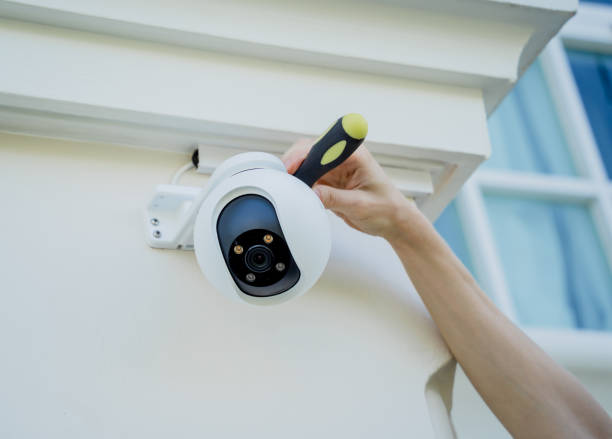

Homeowners now need basic security systems, which were once seen as necessary only by large estates. People desire effective home security systems which will not exhaust their financial resources as prices continue to increase. Smart planning enables better outcomes for projects.
Selecting appropriate equipment, together with determining optimal camera locations while eliminating unneeded components, will help you save substantial costs. You will discover methods to maximise your budget while obtaining a system which operates throughout the day and night.
The guide relies on actual installation experiences of home CCTV systems across multiple building categories. The process has seven distinct steps, which you can use to create a personalised plan for your space and financial needs.
Why Planning Matters for a Budget-Friendly CCTV Setup
The users who create detailed purchase plans will prevent themselves from buying additional cameras, choosing unnecessary features, and making storage purchases which they will not use. Your system security improves through your planning methods that organise all project phases, while your system costs decrease.
The basic step allows you to prevent typical errors, which include selecting unsuitable camera positions, identifying weak Wi-Fi areas, and discovering hidden spots. You will achieve better installation results at reduced costs when you dedicate time to your planning process.
How to Plan a Budget-Friendly Home CCTV Installation
1. Set Clear Goals for Your Home CCTV Setup
Before making a purchase, you should first determine your desired outcomes for your camera equipment. Your spending decisions will be controlled by this framework, which helps you make better choices.
Ask yourself:
- Do you want to monitor doors, windows, or blind spots?
- Will you need night vision or motion alerts?
- Do you want cloud storage, local storage, or both?
Many people buy more cameras than they need. Focus on coverage, not quantity, and you’ll save right from the start.
2. Map the Areas That Need Surveillance
A simple sketch of your home helps you see where to place cameras and where you don’t need them.
Key points to map
- Entry points: Front door, back door, side paths and garden gates.
- High-risk spots: Garages, sheds, driveways, and spots with low visibility.
- Avoid over-coverage: Many homes only need two to four cameras. Mapping prevents overbuying.
3. Choose the Right Type of Home CCTV System (Without Overspending)
Some systems cost more because they include advanced features you may not need.
Wired CCTV Systems
- More reliable for larger homes
- No reliance on Wi-Fi
- Great for long-term setups
- Slightly higher install effort
Wireless CCTV Systems
- Quick to install
- Ideal for small homes or rented properties
- No drilling in most cases
- Prices vary widely
When to Choose Which
If you want a stable system with strong image quality, wired suits you. If you prefer simple installation and flexibility, go wireless. For tight budgets, wireless starter kits often offer the best value.
4. Pick Cameras That Match Your Budget and Needs
Avoid getting sold on features you will never use.
Look for these essentials
- 1080p minimum resolution
- Night vision that works beyond 10 metres
- Weatherproof rating (IP65 or higher for outdoors)
- Wide viewing angle (100–130 degrees)
Skip these unless needed
- 4K video (large files and higher cost)
- Pan-tilt-zoom for basic home use
- Full colour night vision, unless in very dark areas
5. Compare Storage Options to Cut Long-Term Costs
Local Storage (MicroSD or NVR)
- One-time cost
- No contracts
- Great for tight budgets
Cloud Storage
- Easy access from anywhere
- Monthly fees add up
- Best for those who travel often
6. Plan DIY Installation Where Possible
You don’t need to be an electrician for home CCTV installation. Most kits come with mounts, screws and clear setup guides.
DIY steps:
- Mark your camera spots.
- Install mounts using basic tools.
- Connect cameras to Wi-Fi or the recorder.
- Test angles on your phone before tightening screws.
If you plan the setup well, you can avoid hiring someone and save a large chunk of your budget.
7. Place Cameras for Maximum Coverage
Better angles mean fewer cameras
A well-placed camera near the corner of your home can cover two sides at once. Mount cameras high enough to avoid tampering but low enough to capture clear detail.
Quick placement tips
These are the budget-friendly home CCTV installation tips:
- Point the cameras slightly downward for clearer faces.
- Avoid direct sunlight to reduce glare.
- Keep them near a power source or ensure your Wi-Fi signal is strong.
8. Improve Wi-Fi Strength for Wireless CCTV Systems
Weak Wi-Fi is a common reason for poor video quality.
Simple fixes
- Use a Wi-Fi extender near the furthest camera.
- Keep your router off the floor and away from thick walls.
- Set up a separate guest network for cameras to improve speed.
These small upgrades are cheap and boost both performance and reliability.
9. Budget-Friendly Accessories Worth Buying
Useful add-ons
- Longer cables for better placement
- Extra batteries for wireless cameras
- Surge protectors for wired systems
- Anti-theft mounts outdoors
10. Test Your System and Adjust Before Finalising
Testing helps you fix blind spots, adjust angles and make sure notifications work.
Things to check
- Motion alerts
- Night vision clarity
- Recording quality
- Camera angles
- App access
11. Stay Compliant With Privacy Rules
In the UK, the Information Commissioner’s Office (ICO) provides clear rules on using CCTV at home.
Basic guidelines
- Don’t aim cameras at a neighbour’s garden or windows.
- Put up signs if your cameras record shared spaces.
- Keep footage private and secure.
Budget-Friendly Home CCTV Installation Tips
When you plan well, these budget-friendly home CCTV installation tips help you cut costs without lowering your home’s security.
1. Cover Only the Key Entry Points
Your security system needs only three cameras, which should be installed at your front door, back door, and driveway.
2. Pick 1080p Cameras for Better Value
The cameras deliver high-definition video content to customers at a price which is lower than 4K systems because they require less storage capacity.
3. Use Wireless Kits to Save on Installation
Most wireless systems allow users to install them without professional help, which results in savings on labour expenses.
4. Test Angles Before Mounting
You need to hold the cameras at their mounting position while checking the view through your phone device to avoid wasting time and materials.
Conclusion
People can install indoor home CCTV without spending too much money when they follow a straightforward process. Start with a clear purpose, draw up a basic map and choose cameras that fit your needs rather than trends. The decision to store data locally instead of operating a storage system with installation and maintenance requirements provides users with two options, which help them to decrease their expenses while maintaining security.
Your home needs only some planning work to achieve 24-hour security protection, which will help you maintain your financial limitations. The present situation allows you to create a setup which matches your space requirements, your daily life activities, and your need for relaxation.
FAQs
How many cameras do I need for a small home?
You need two to four cameras to monitor your entire small house. The first camera monitors the front door, and the second camera monitors the back door, while the other cameras provide security for additional critical areas.
How trustworthy is wireless CCTV equipment?
Wireless CCTV technology maintains high reliability when users maintain strong Wi-Fi connections. Weak Wi-Fi areas can be fixed through basic extender devices. Wired systems deliver enhanced performance for large homes which contain multiple thick wall sections.
Is CCTV installation in rented spaces allowed?
The installation of wireless cameras for your property requires no drilling work. You must examine your tenancy agreement first before installing any items, as you need to obtain permission from your landlord.
Do I need cloud storage for home CCTV?
Homeowners do not require cloud storage for their security systems. Local storage is cheaper and works well for many homes. People use cloud storage to access their data remotely while travelling.
Read More Blogs on: Bloggingarena